Sitejet AI Website Builder Crash Course — Built for Agencies
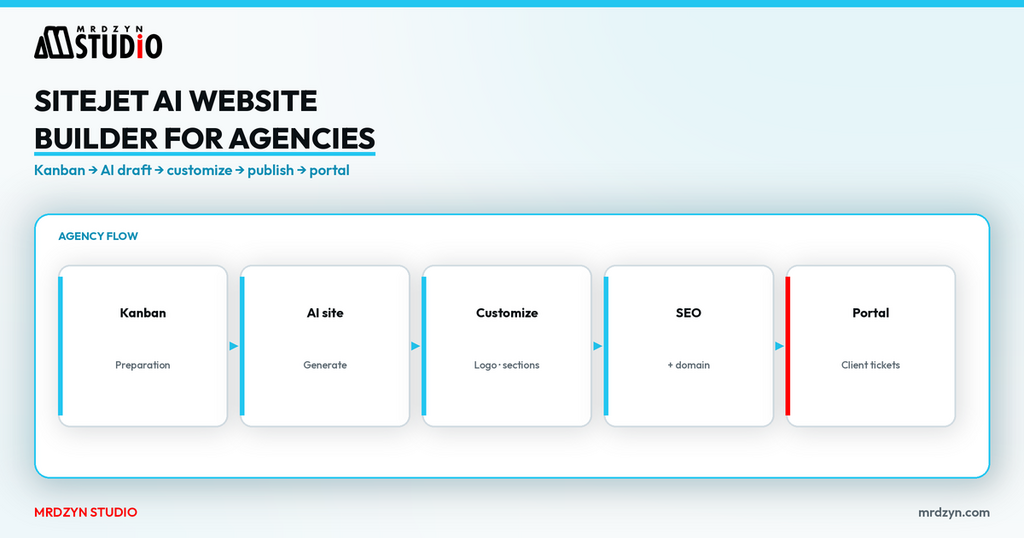
Sitejet is a website platform from WebPros aimed at freelancers and agencies that need AI-assisted builds and client project management in one place — not only a pretty drag-and-drop canvas.
This written guide follows my Sitejet crash course: dashboard and Kanban stages, AI website generation, block editing, SEO and domain, ecommerce via Ecwid, collections/blog, content import, customer portal, and team settings. Prices below are from Sitejet's pricing page checked on 9 November 2026 (Asia/Manila). They exclude tax and change; confirm on Sitejet before you buy.
Watch the crash course
Full video: Sitejet AI Website Builder Crash Course. Start here: referdby.designpreneurs.com/sitejet.
The short answer
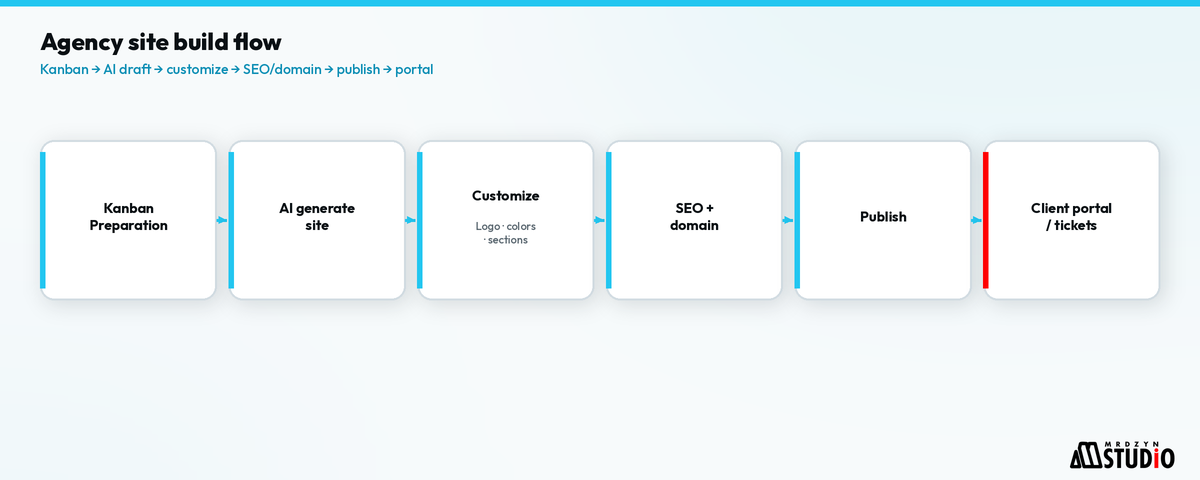
- Choose Sitejet Studio if you build for clients (projects, collaborators, portal). Choose Sitejet Website Builder if you only need your own site.
- Generate a first draft with the AI website builder (industry, one-page vs multi-page, language), then edit with blocks — do not publish the raw AI draft.
- Finish the boring-but-required layer: domain DNS, SSL, SEO titles/meta, Open Graph image, analytics.
- Use the customer portal so clients leave feedback and request changes without endless email threads.
- Treat AI copy as a draft under a human-gated delivery rule.
Studio vs Builder (official split)
Sitejet's pricing page (checked 9 Nov 2026) splits two products:
| Product | Who it is for | What you get (from pricing page) |
|---|---|---|
| Sitejet Studio | Agencies / professionals managing client sites | Hosting, project management, AI Writer & translations, customer feedback portal, tickets, ecommerce, SEO tools; Team/Agency add white-label, export, APIs, mail transfer |
| Sitejet Website Builder | Individuals building their own site | AI Website Builder, AI Writer, templates, hosting/SSL/backups, SEO tools, limited commerce |
Studio list prices on that page (ex-tax; dual $€ figures as displayed):
- Solo — about 15 / 19 per month (annual / monthly style pairing on the page), 1 hosted site included, 1 collaborator.
- Team — about 29 / 34 per month, 3 collaborators, white-label & export among the extras.
- Agency — about 49 / 59 per month, 10 collaborators, collection API among the extras.
- Additional hosted sites are billed per site at rates shown on the same page (lower on higher tiers).
Website Builder Starter — about 11 / 13 per month (matches what I say in the video: annual around $11, monthly around $13), 1 published site, unlimited drafts.
Sitejet documents a 14-day trial with Team features, then a free Solo-limited state until you publish — no card required to start, per their FAQ on the same pricing page.
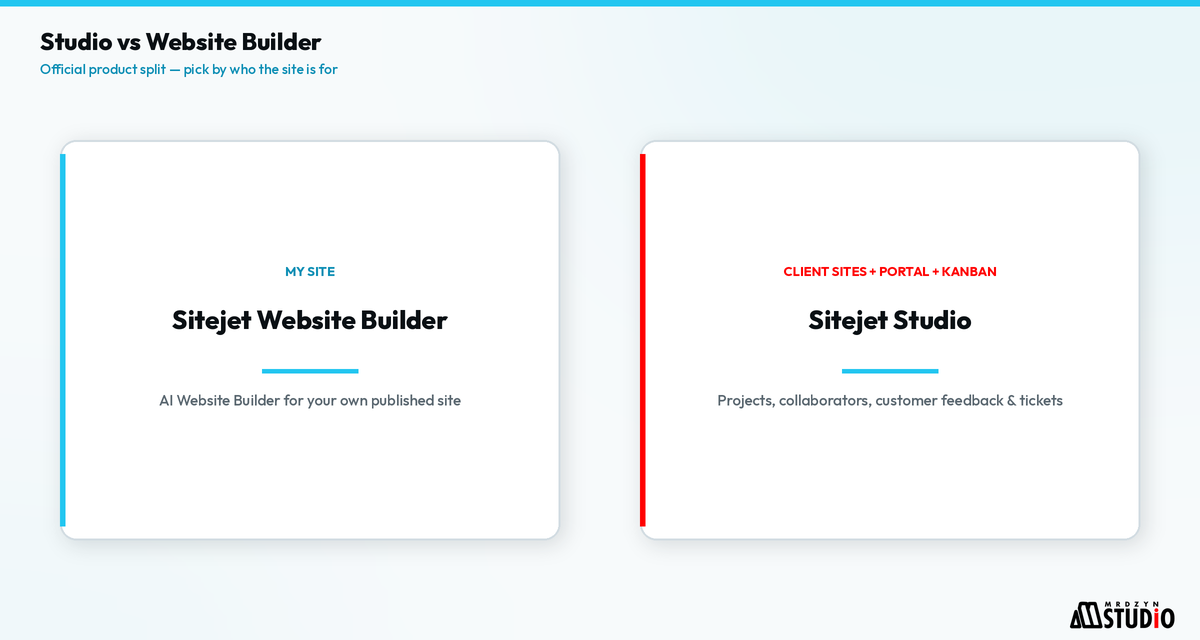
Step 1 — Agency dashboard and Kanban
After login, Studio shows to-dos and websites. Sites move through a pre-built Kanban such as preparation → creation → audit (labels as shown in the course). That board is the project spine: keep status honest so the AI build does not outrun contracts and content collection.
You can start from templates (landing pages, niches, coming soon, wireframes) or from AI. In the demo I also open an existing customized template site before generating a fresh one.
Step 2 — Generate with the AI website builder
From creation:
- Open the AI website builder.
- Set industry / niche (in the demo: content creation / graphic-style brief), one page or multiple pages, and language (English in the walkthrough).
- Generate and wait for the draft layout, images, and copy.
- Review headline options and the design system Sitejet proposes; pick a stronger option before you polish sections.
The output is a workable one-page (or multi-page) shell — home, about, counters, values, team, menu, testimonials, galleries, partners, FAQs, contact, footer, plus modules like blog, jobs, opening hours, or real-estate listings depending on what you add.
Step 3 — Edit with blocks (and undo)
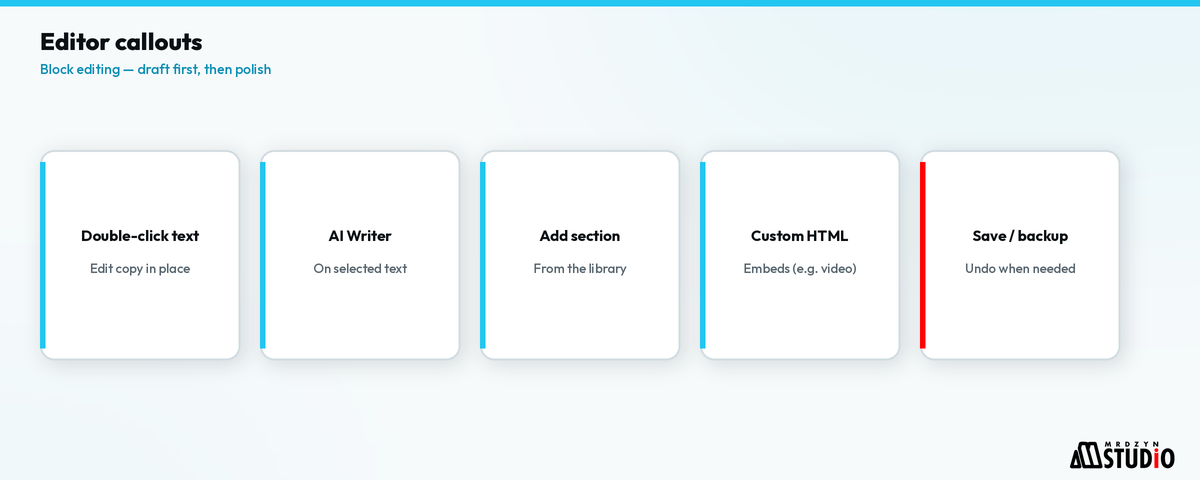
Editing is block-based: double-click text, change colors/backgrounds/fonts, swap stock photos, add sections from the library. Undo and backups matter — in the course I lean on undo when a background change goes wrong, and note you can restore from backups if a session gets messy.
Useful extras shown:
- AI Writer on selected text/elements to regenerate copy.
- Pre-built legal/privacy style pages as starting points (still review with counsel).
- Custom HTML embeds (for example a YouTube iframe).
- Favorites / headline containers / other elements from the insert panel.
Step 4 — Domain, SEO, ecommerce, collections
Before you call a site done:
- Connect the domain — point the A record at Sitejet's hosting; SSL is issued for the site (as described in the course).
- Fill SEO fields (titles, descriptions; AI can draft descriptions — you still verify).
- Connect Google Analytics (and Maps API if you use maps).
- Set logo / favicon and Open Graph image for social shares.
- Languages if the project needs more than one locale.
- Ecommerce — shop setup goes through an Ecwid account integrated with Sitejet (as shown).
- Blog / collections — managed in Sitejet's collections/content manager (different mental model from WordPress posts). You can AI-write sections inside items.
- Import content from an existing website when you are migrating.
Step 5 — Customers, team, and agency plumbing
Studio is built so client work is not only design:
- Customer data — track contract/pricing notes and revenue fields (as shown).
- Client login / portal — customers can edit within the access you grant and leave feedback.
- Team users — invite collaborators per plan limits.
- Advanced: email IMAP/SMTP, workflow automations for proposals, webhooks, email migration tools (shown at the end of the course).
Where this fits in a real Mrdzyn workflow
Mrdzyn Studio delivers marketing sites and product marketing properties on Sitejet when the brief fits a hosted CMS with a client portal — including properties we operate ourselves. We run Sitejet Studio on the Agency plan for that work. AI generation speeds the first draft; publishing still goes through human review of copy, SEO, and legal pages (human-gated AI delivery pipeline).
If the brief needs a custom app, booking engine, or CRM rather than a marketing site, that is a different build track on the products and services side — Sitejet does not replace those.
FAQ
Is Sitejet only for agencies?
Studio is positioned for agencies and professionals. Website Builder is for someone publishing their own site. Same pricing page, checked 9 Nov 2026.
Can I try it without a card?
Sitejet's FAQ says yes for the trial window; publishing/export follows paid plan rules.
Is the AI draft publish-ready?
Treat it as a structured first pass. Replace stock claims, verify contact details, and review legal pages.
How is blogging different from WordPress?
Collections/content manager, not a classic WP post list. Plan content ops before you promise a WP-identical editorial workflow.
Next step
Need a website built? Mrdzyn Studio can build it on Sitejet (or a custom app beside it). Book a free 15-minute discovery call: calendar.app.google/NJvDbppn2QYqGryb9.