Use cases

Built for real workflows

Each product started as a painful job. Here’s who it’s for.

M Studio

Get a professional site live this week
Operators and freelancers who need templates, SEO basics, and an editor—not a three-month build.

Explore M Studio →

SpeakPress

Let visitors listen to your WordPress content
Publishers and course creators who want device voices or AI voiceovers without leaving WordPress.

Try SpeakPress →

ImageUpWP

Stop re-uploading every generated image
Bloggers and marketers who create in Gemini, ChatGPT, or design tools and publish in WordPress.

Get ImageUpWP →

Chatbots

Catch leads after hours
Small teams that need FAQ answers and lead capture when nobody’s on chat.

Start with Chatbots →

DiaKeep

Keep health history on your phone—privately
People managing labs, meds, and appointments who don’t want another cloud account.

Download DiaKeep →

VideoKiosk

Turn watched video into action
Creators and marketers who want timed links, products, and CTAs on video they already host.

Open VideoKiosk →

Need a custom build or readiness review?

AI prototype to store-ready, or a focused SaaS/mobile build — senior judgment, not a wrapper mill.

Schedule Meeting

Tools already live

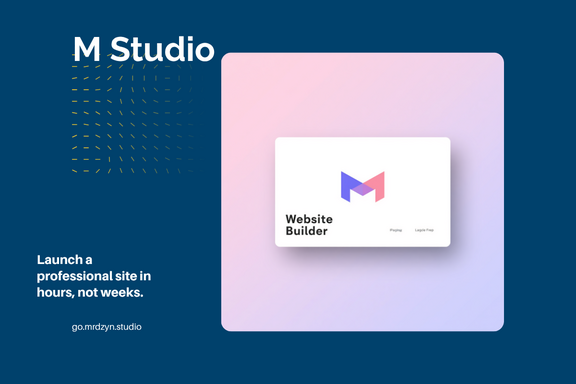
Launch a professional site in hours, not weeks.

M Studio 

Spin up a professional site fast with more than 200 industry‑specific templates, an AI‑assisted drag‑and‑drop editor, mobile‑responsive design and built‑in SEO tools

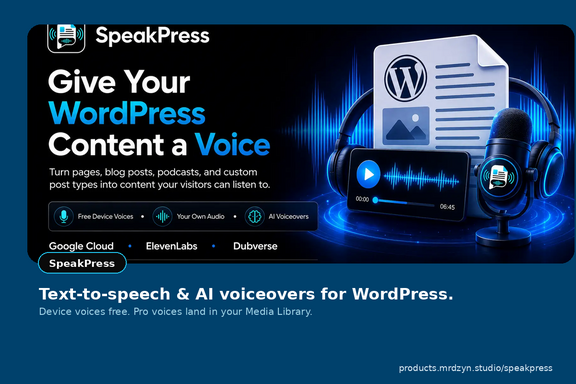
Give your WordPress content a voice.

SpeakPress

Turn pages, posts, podcasts, and custom post types into something visitors can listen to. Start free with device voices or your own audio; Pro adds permanent AI voiceovers saved to your Media Library.

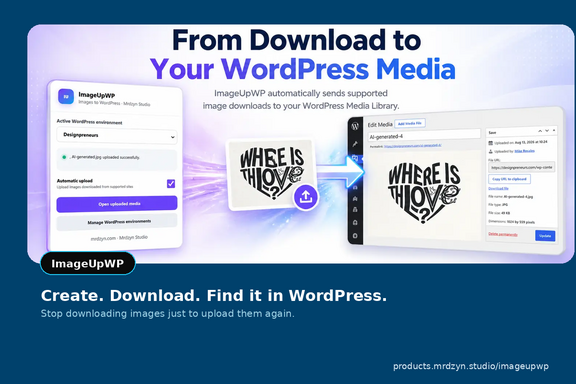
Create. Download. Find it in WordPress.

ImageUpWP

Skip the Downloads-folder shuffle. ImageUpWP sends images from supported creative and AI tools straight into your WordPress Media Library.

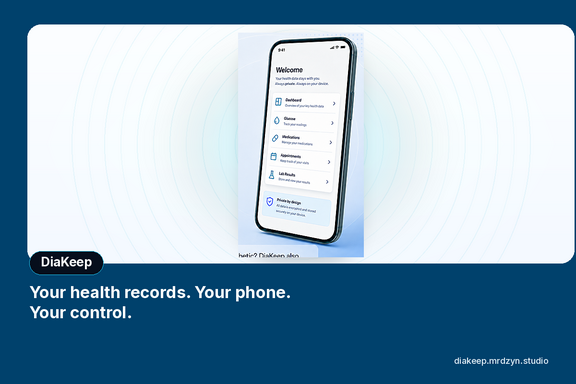
Your health records. Your phone. Your control.

DiaKeep

Private, mobile health records under your control.

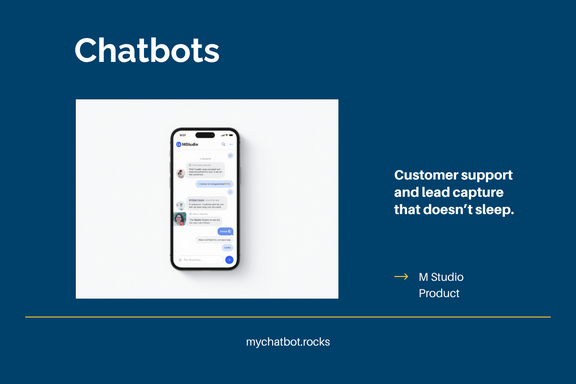
Customer support and lead capture that doesn’t sleep.

Chatbots

Offer always‑on customer support and lead generation with a customizable AI chatbot platform. Chatbots can handle FAQs across your website, Facebook Messenger, etc.

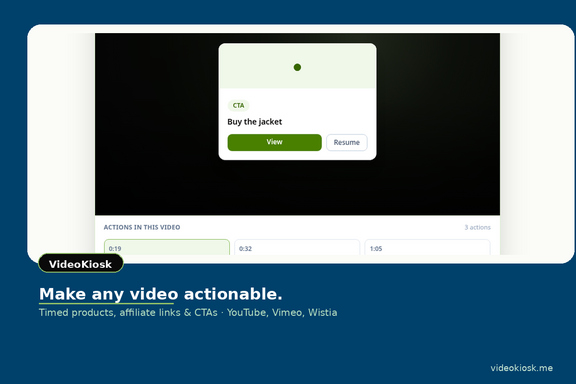
Make any video actionable.

VideoKiosk

Use video to build community and drive conversions. VideoKiosk lets you create and host multilingual video content for events, summits and user‑generated campaigns.

Method

AI-assisted development. Real shipped software.

These products aren’t mockups. They’re live tools built by Mrdzyn Studio using modern stacks and AI-assisted development—  shorter build–test–ship loops, sharper product decisions, and software that solves a concrete job.


• Problem first — each app starts from a workflow that was too slow, too scattered, or too expensive.

• Ship small, ship live  portfolio products go to market as usable software, then improve in public.

• Privacy and practicality — from offline-first health data to local-only credentials in browser tools, the defaults respect the user.

More apps are on the way.

Pipeline


The portfolio is growing. New SaaS and AI-assisted products are in development and will land here as they launch.


Get launch updates · hello@mrdzyn.studio

Built by Mike Rosales

I’m Mike Rosales, founder of Mrdzyn Studio. I’ve spent more than two decades in technology — strategy, delivery, operations, cybersecurity, and privacy — and I still build with my hands. This site is the product side of that work: apps and SaaS you can try today, plus the next ones coming out of the studio.


For fractional technology leadership or custom builds, get in touch.

insights / blog

Before you wrap that AI prototype: a technical readiness check for iOS and Android

AI tools make it easy to ship a working product in a browser. Founders open Lovable (or something like it), describe the product, and a few days later they have screens, flows, and a demo that looks ready for the App Store. Stores and production do not care that the demo felt fast. What looks like a finished MVP in Chrome can still be a thin shell: fragile auth, a fuzzy data model, no offline story, payments that only work in one happy path, and a WebView wrapper that Apple may reject under App Store Review Guideline 4.2 (Minimum Functionality). Before you spend money wrapping that prototype for iOS and Android, you need a clear answer to one question: wrap, rebuild, or pause? This article is a practical readiness check for founders and operators sitting on an AI-prototyped web MVP who want native distribution—or at least a serious path to it—without hiring a “Capacitor mill” that ships bookmarks in an app icon. Ready for the store is not the same as “the demo works” A demo that works in the browser proves product intuition and UI direction. It does not prove: sessions survive app backgrounding and token refresh the data model can grow without a rewrite the app behaves when the network drops payments and entitlements match store rules privacy disclosures match what the app actually does the binary offers more than a Safari tab Treat the prototype as evidence of what you want to build. Treat technical due diligence as the process that decides how (and whether) to take it to the stores. The audit checklist Walk these areas in order. You do not need perfect answers on day one. You do need honest ones. 1. Auth and session How do users sign in? What happens when the access token expires while the app is backgrounded? Are refresh tokens stored securely on device, or only in browser storage that a wrapper inherits poorly? If login only works in a continuous browser session, a native wrap will feel broken the first time a user leaves the app for a call. 2. Data model and APIs Is there a real backend contract, or a pile of screens talking to loosely shaped endpoints? Can you name your core entities, ownership rules, and what happens when two devices edit the same record? AI prototypes often optimize for “screen exists.” Production optimizes for “state is consistent.” 3. Offline and flaky networks What works with airplane mode on? What queues and retries? What fails loudly versus silently? If the product is expected to feel like an app on a commute, offline behavior is not a nice-to-have. It is part of the product. 4. Payments and entitlements Web checkout and store billing are different systems. If you plan App Store or Play billing, map which features are free, which are subscription, and which must use in-app purchase. If you keep web payments, understand the platform rules that apply to your category. A prototype that “has Stripe” is not the same as a store-compliant entitlement model. 5. Device permissions Camera, photos, notifications, location, biometrics, health data—each permission needs a clear purpose string and a real feature behind it. Asking for access you do not use is a review and trust problem. 6. Analytics, crash reporting, and logging When something breaks on a phone you do not own, can you see it? Do you have crash reporting, basic product analytics, and enough logging to debug without shipping a new binary every time? 7. Privacy—especially health and PII If you touch health data, financial data, or anything personally identifiable, document what you collect, where it lives, and whether it leaves the device. Privacy is not a footer link. It is architecture. This is one place Mrdzyn Studio cares a lot about defaults. DiaKeep, our private offline-first health record app, keeps records on the phone with encrypted on-device storage and no account/cloud sync by design. That kind of product cannot be an afterthought bolted onto a chatty web MVP. 8. Performance on real devices Test on mid-range Android and an older iPhone, not only on your laptop’s responsive mode. Watch first load, navigation jank, image weight, and memory. WebViews amplify problems that feel minor in desktop Chrome. 9. Accessibility and UI polish Store reviewers and users both notice tap targets, contrast, and forms that fight mobile keyboards. “Looks fine in the builder” is not a mobile QA plan. 10. Release mechanics Versioning, environments (dev/staging/prod), secret handling, and a repeatable build pipeline. If only one person can produce a binary from a laptop folder, you do not have a release process yet. Write the findings as a punch list: blockers for store submission, risks you can ship behind, and items that should wait for a rebuild. Wrap vs rebuild: choose on purpose When a Capacitor / WebView approach can be enough A wrap (for example Capacitor around a web app) can be a good move when: the product is genuinely web-shaped and will stay that way you add real native capabilities (push, biometrics, offline handling, deep links, native navigation patterns)—not just a full-screen browser the backend and auth model are already solid you accept that some UX will still feel like the web, and that is fine for your users Apple’s Guideline 4.2 is written in plain terms: the app should include features, content, and UI that elevate it beyond a repackaged website. If it is not useful, unique, or “app-like,” it does not belong on the App Store. A shell that only loads your URL is the failure mode reviewers describe when they say the experience is not sufficiently different from Safari. So “we wrapped it” is incomplete. The better sentence is “we shipped an app that uses a WebView and earns its place with native behavior and durable utility.” When a React Native or Flutter rebuild is safer Rebuild (or a serious native rewrite of core flows) is often safer when: offline-first or on-device data is central to the product performance or complex gestures matter you need deep platform APIs as first-class features the AI-generated frontend is hard to maintain (generated CSS soup, unclear ownership, no tests) you expect years of iteration and a growing team Rebuild costs more up front. It can cost less than three rejected submissions, a brittle wrap, and a forced rewrite six months after launch. When the right answer is pause Pause if the prototype still cannot explain the core workflow, if the data model is fiction, or if compliance requirements (health, payments, kids, finance) are undefined. Shipping faster into the wrong architecture is not speed. It is interest on technical debt. What a senior technical review actually delivers Skip the theater. A useful readiness review produces three artifacts: A decision — wrap, rebuild, or pause — with the reasons tied to your product, not a generic preference for a stack. A prioritized fix list — blockers for store submission first, then quality and scale risks. A cost-shaped path — what “good enough for v1” looks like versus what can wait until after you see retention. It should not be a sales deck full of fractional titles. It should be judgment you can act on: what to fix this month, what not to wrap yet, and what would make App Review a fair fight. How Mrdzyn Studio approaches this Mrdzyn Studio ships real products—website and WordPress tools, chat, video commerce, and mobile—built with AI-assisted development and senior engineering judgment. DiaKeep is live on phone platforms as a privacy-first, offline-first health record app (diakeep.mrdzyn.studio). That matters here only as proof of the bar: we care about what leaves the device, what survives offline, and what belongs in an app binary versus a browser tab. If you have an AI-prototyped MVP and you are deciding whether to wrap it for the stores, we can run a technical readiness review and give you the decision plus the punch list. Soft next step: contact Mrdzyn Studio or email hello@mrdzyn.studio and say you want a readiness check before native.

CONTACT

I would be delighted to receive your emails or a call, so please feel free to reach out!

Phone

+1 619 3530917

hello@mrdzyn.studio

Address

EDSA

Mandaluyong 1554

Philippines